Hamna
Decision Matrix Task Tracker for Google Sheets & Excel – Smart Decision Making Spreadsheet with Eisenhower Matrix & To-Do List
Decision Matrix Task Tracker for Google Sheets & Excel – Smart Decision Making Spreadsheet with Eisenhower Matrix & To-Do List
Couldn't load pickup availability
Make Smarter Decisions with Clarity and Confidence
Struggling to choose between multiple options? Feeling overwhelmed by competing priorities? This Decision Matrix Task Tracker for Google Sheets and Excel helps you evaluate choices logically, prioritize effectively, and move forward with confidence.
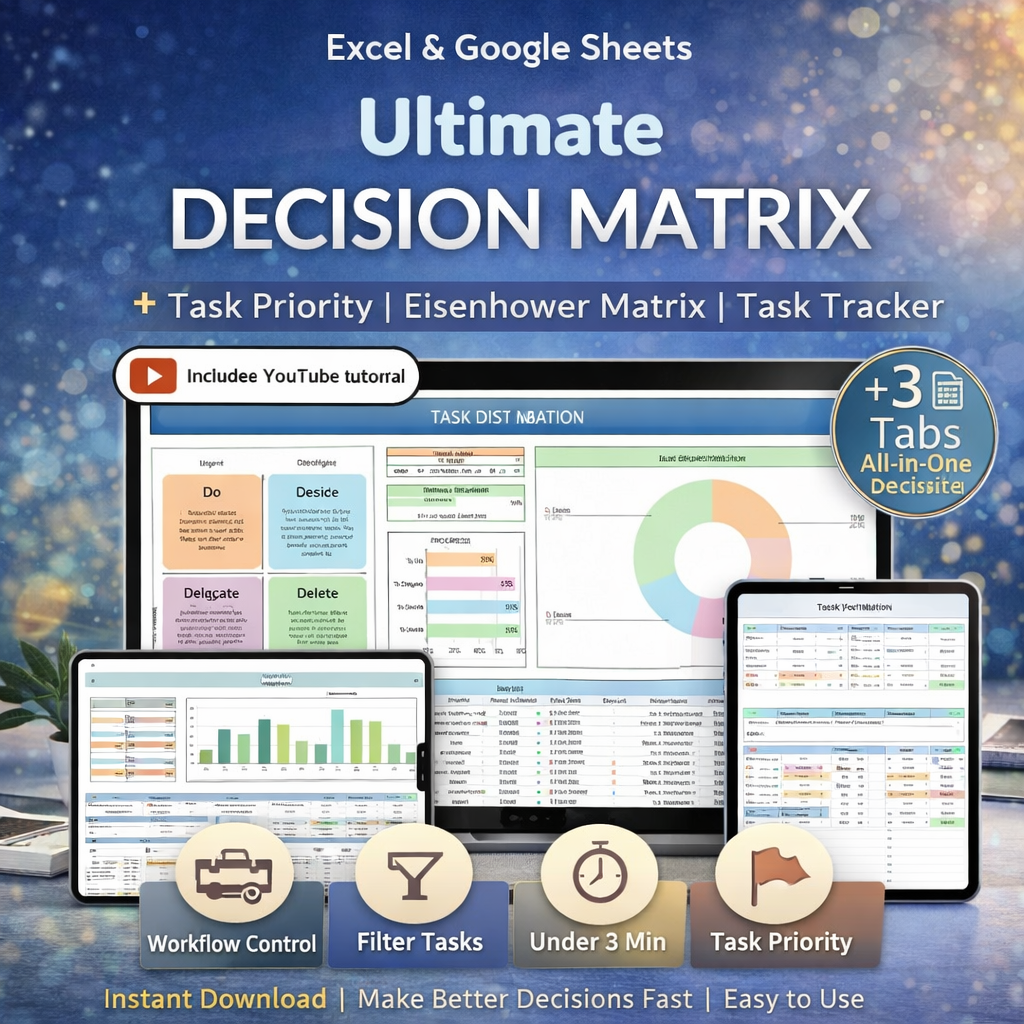
Designed for professionals, entrepreneurs, students, and productivity enthusiasts, this all-in-one spreadsheet combines a Decision Matrix, Eisenhower Matrix, and Task Filter system in one streamlined tool. Instead of second-guessing your choices, you’ll have a clear, visual framework that supports better decision-making and smarter task management.
Whether you're comparing business opportunities, evaluating investments, planning projects, or organizing personal goals — this spreadsheet helps you think clearly and act strategically.
What You’ll Receive
Your purchase includes everything you need to get started immediately:
-
PDF with direct access link to the Google Sheets Decision Matrix
-
Fully functional Excel Decision Matrix Template (Office 365 optimized)
-
Step-by-step PDF instructions
-
In-depth YouTube tutorial for efficient use
-
Instant digital download access after payment confirmation
No waiting. No shipping. Start organizing your decisions today.
Inside the Spreadsheet: 3 Powerful Tabs
⚙️ Setup Tab
Customize your criteria, assign importance weights, and define evaluation factors that matter most to you.
🔢 Decision Matrix Tab
Compare multiple options using weighted scoring. Instantly see which choice ranks highest based on your priorities.
✅ Tasks Filter Tab
Organize tasks using priority filters and integrate Eisenhower Matrix logic (urgent vs. important) to focus on what truly matters.
Key Features & Benefits
-
Visual decision-making framework for clearer comparisons
-
Weighted scoring system for objective evaluation
-
Built-in prioritization structure
-
Integrated task tracking functionality
-
Google Sheets + Excel compatibility
-
Beginner-friendly with step-by-step guidance
-
Clean, professional layout for easy customization
Instead of relying on guesswork or emotions, you’ll make decisions backed by structured analysis.
How It Works
After purchase:
-
Download your files instantly.
-
Open the Excel file directly or use the Google Sheets link provided in the PDF.
-
Customize your criteria and priorities.
-
Enter your options.
-
Let the matrix calculate the results.
-
Use the task filter to manage execution.
If you use Google Sheets, you’ll need a free Google account. Mac users are encouraged to use the Google Sheets version for best performance.
Who This Is Perfect For
-
Entrepreneurs evaluating business decisions
-
Project managers comparing strategic options
-
Students choosing career or academic paths
-
Productivity enthusiasts optimizing workflows
-
Teams needing structured decision frameworks
-
Anyone tired of indecision and overwhelm
If you want clarity, structure, and smarter choices — this tool is for you.
Why Customers Love It
Thousands of productivity-focused users trust structured systems to simplify their lives. This template is built with practical real-world usability in mind. Clear layout. No clutter. Logical flow. Designed for daily use — not just one-time decisions.
If you ever need help, our support team is ready to assist you.
Frequently Asked Questions
Is this compatible with both Excel and Google Sheets?
Yes. You receive both versions. Excel works best with Office 365 Desktop. Google Sheets works with any free Google account.
Can I customize the decision criteria?
Absolutely. The Setup tab allows you to adjust weights, criteria, and scoring based on your specific needs.
Is this suitable for business decisions?
Yes. Many users apply it to business strategy, project evaluation, hiring decisions, and productivity planning.
Will I receive a physical product?
No. This is a digital download only. No physical item will be shipped.
What if I need help using the spreadsheet?
Simply contact Meev Support Team, and we’ll happily assist you.
Important Digital Product Disclaimer
This is an instant digital download. No physical product will be shipped. Due to the nature of digital products, returns, refunds, exchanges, or cancellations are not accepted.
If you experience any issue with your files, please contact the Meev Support Team for assistance.
This spreadsheet is for informational and organizational purposes only. It does not provide financial, legal, or professional advice.
Excel compatibility optimized for Office 365 Desktop. Older versions may not support all features. Mac users are encouraged to use Google Sheets for best stability.
For personal use only. Redistribution, resale, or commercial use is strictly prohibited.
Keywords Included (for SEO & AI Indexing)
Primary Keyword:
Decision Matrix Template
Secondary Keywords:
Task Tracker Spreadsheet, Eisenhower Matrix Template, Google Sheets Decision Matrix, Excel Decision Matrix, Productivity Spreadsheet, Weighted Decision Matrix, To Do List Spreadsheet
Long-Tail Buyer-Intent Keywords:
decision matrix template for business decisions, decision matrix spreadsheet for google sheets, excel weighted decision matrix template, task tracker with eisenhower matrix, productivity decision making tool for professionals
Share